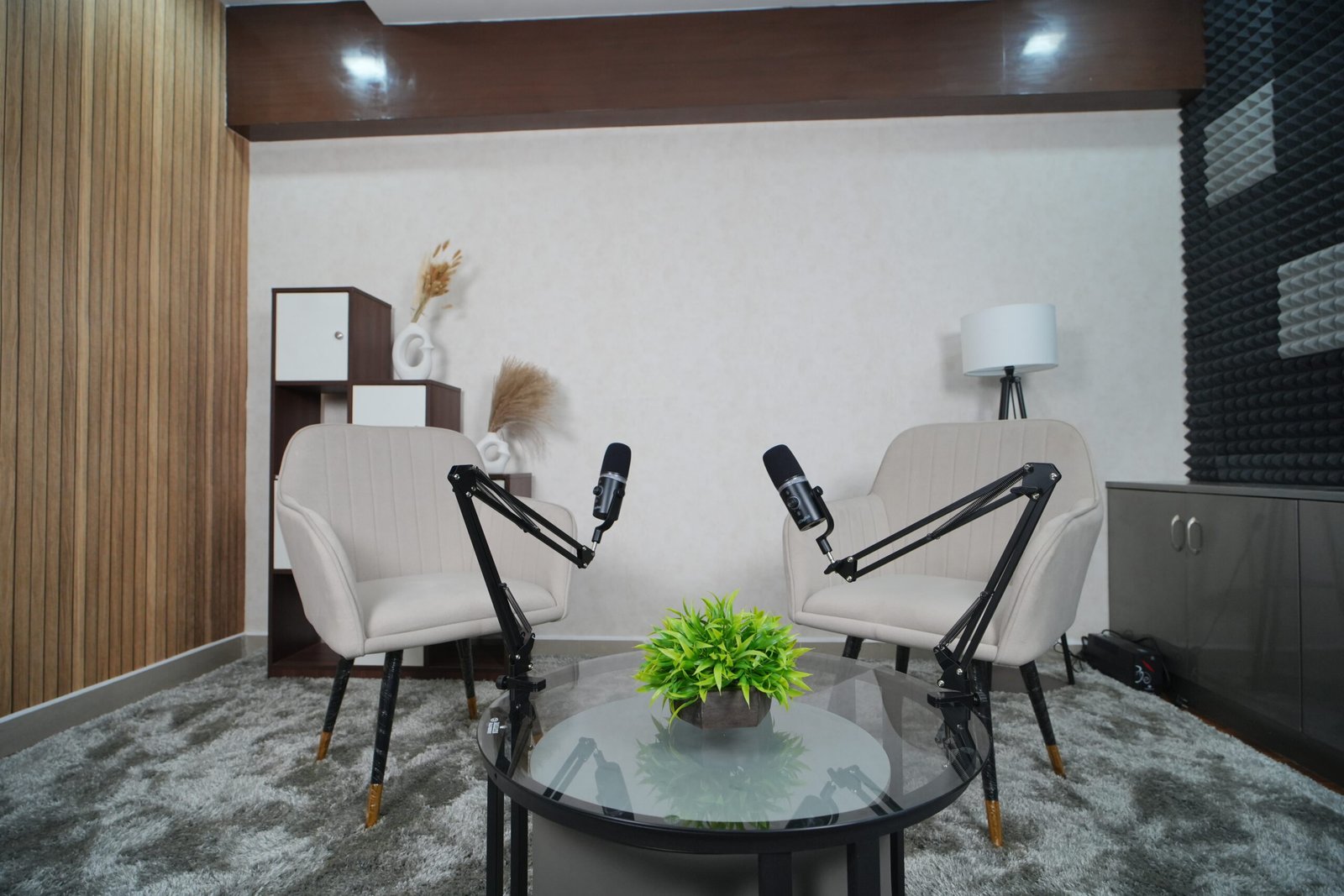
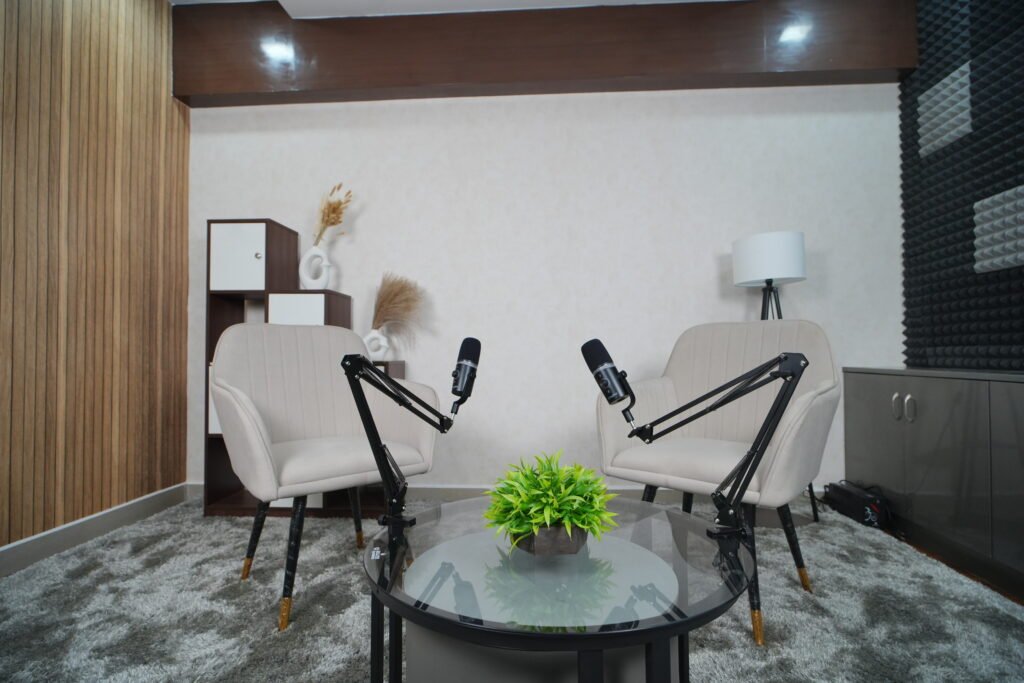
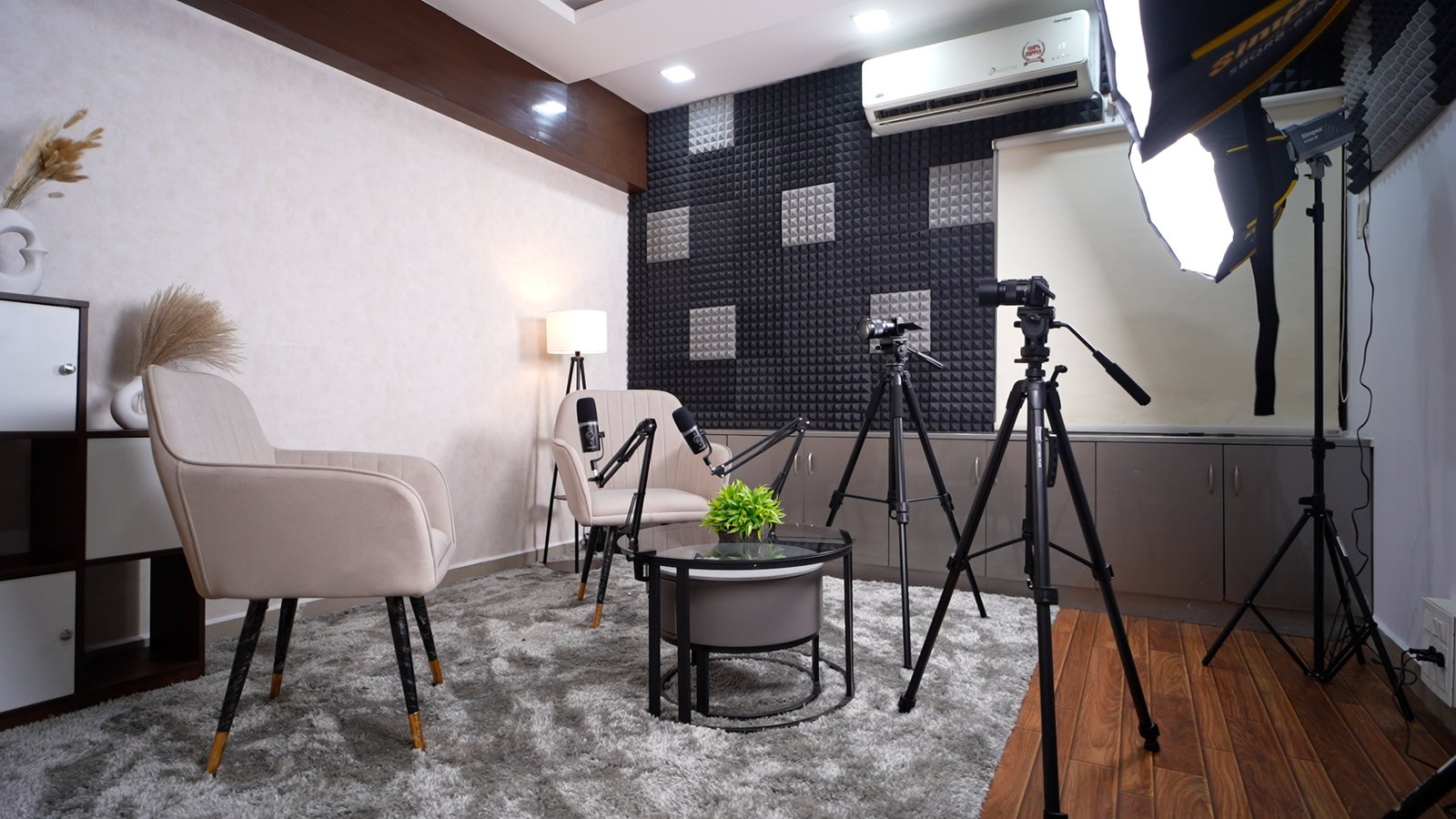
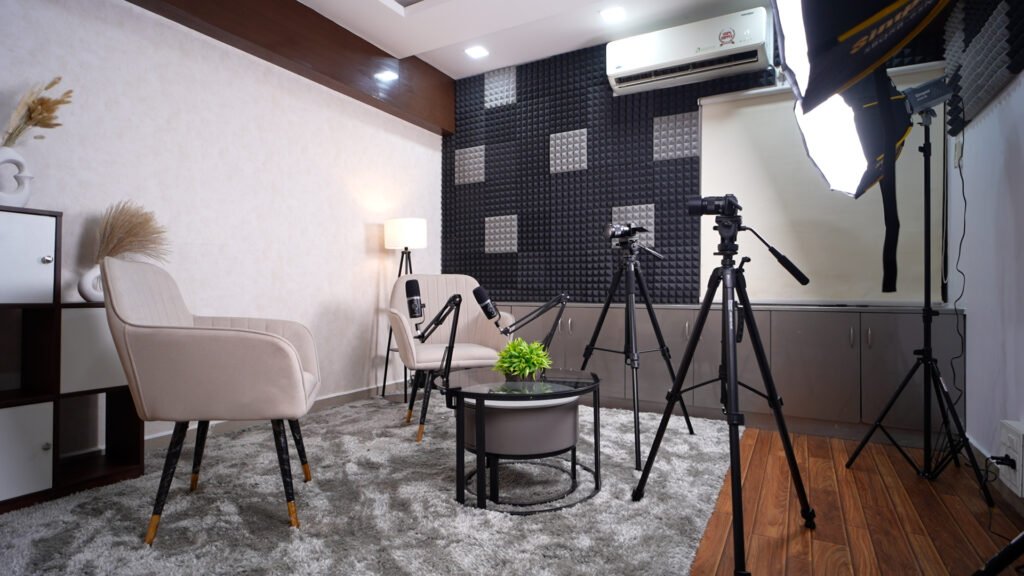
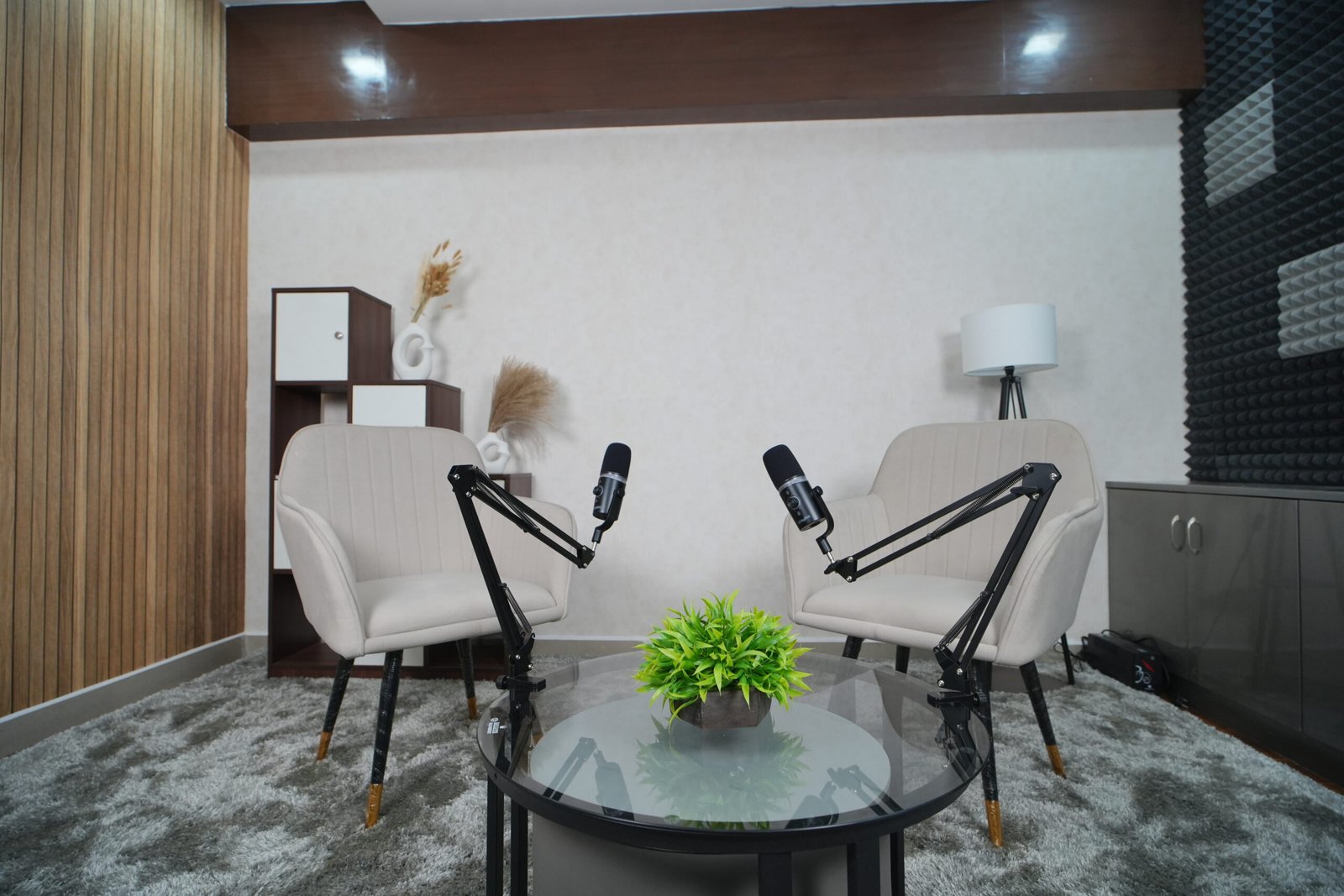
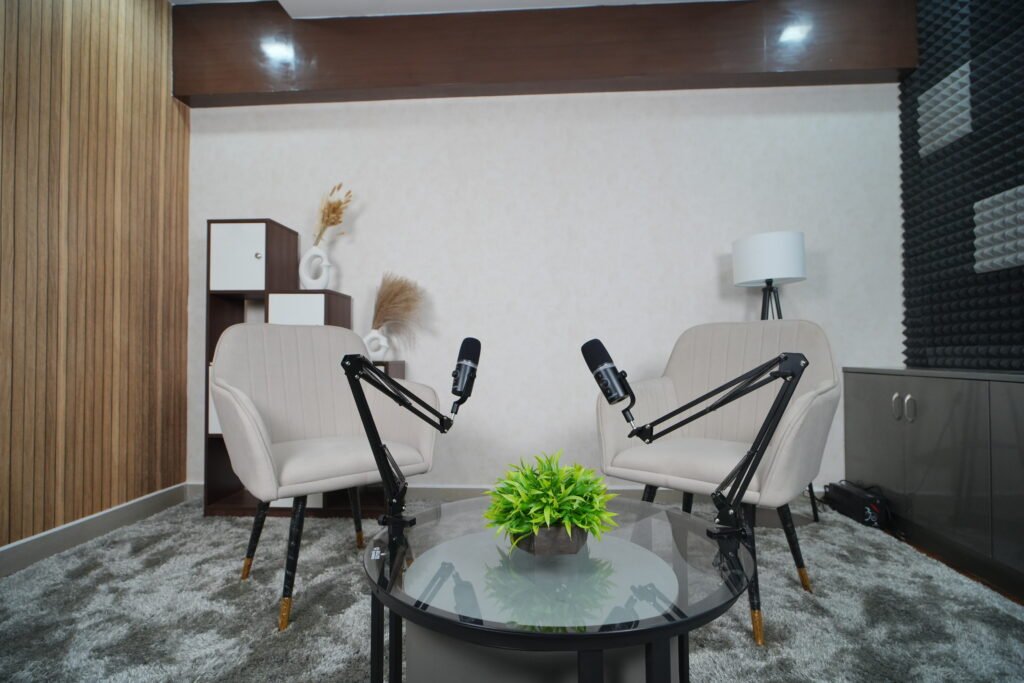
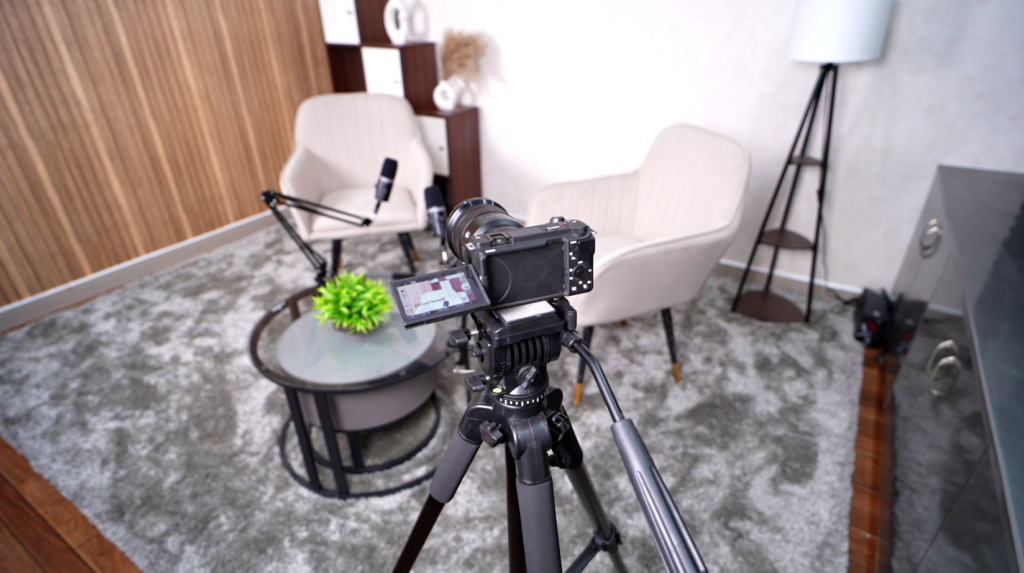
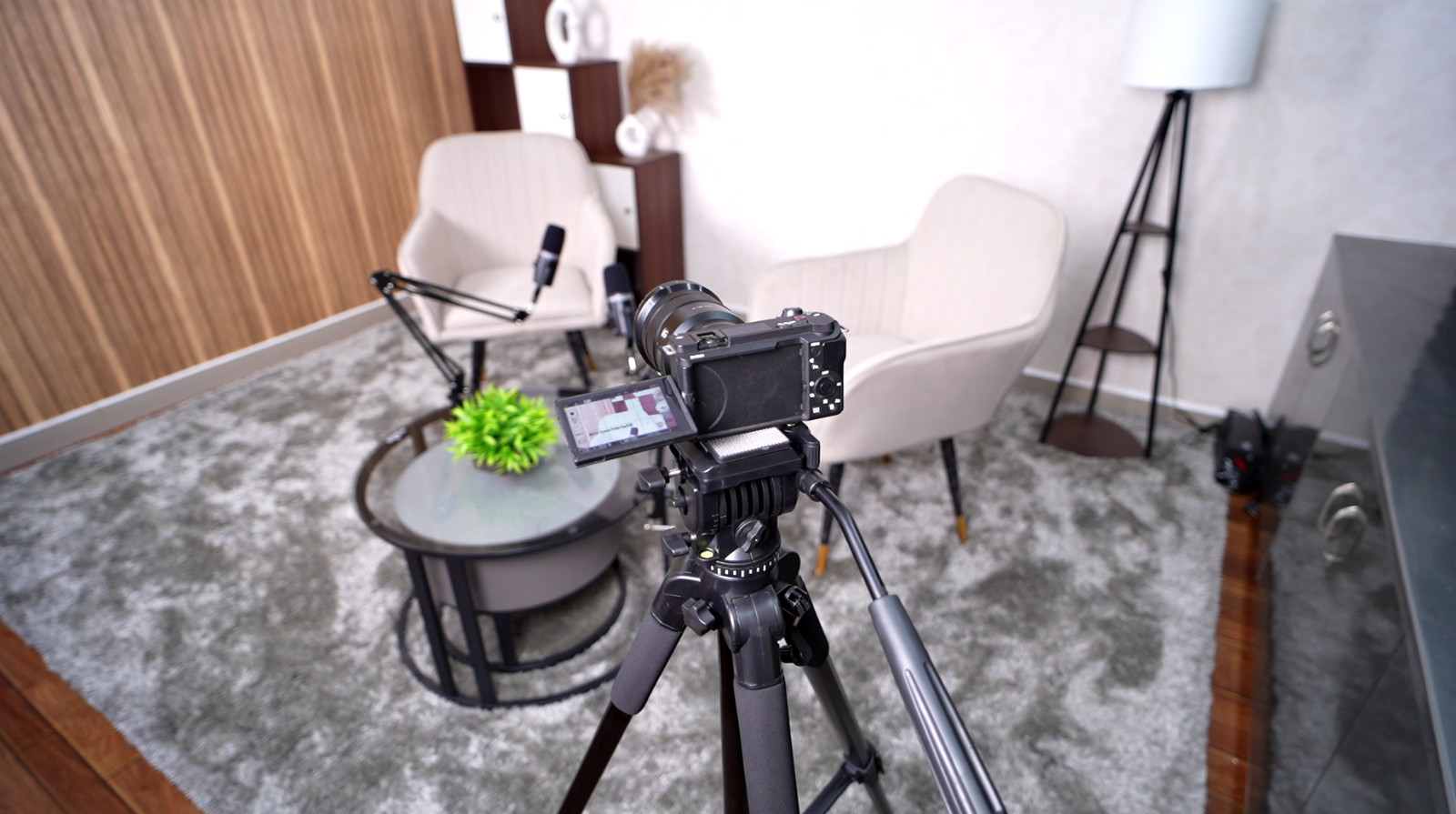
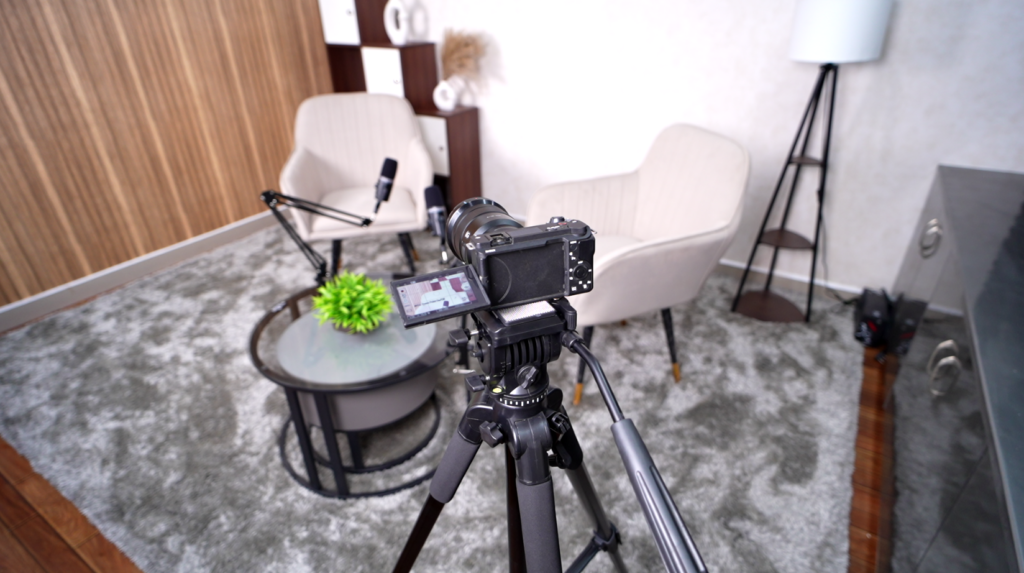
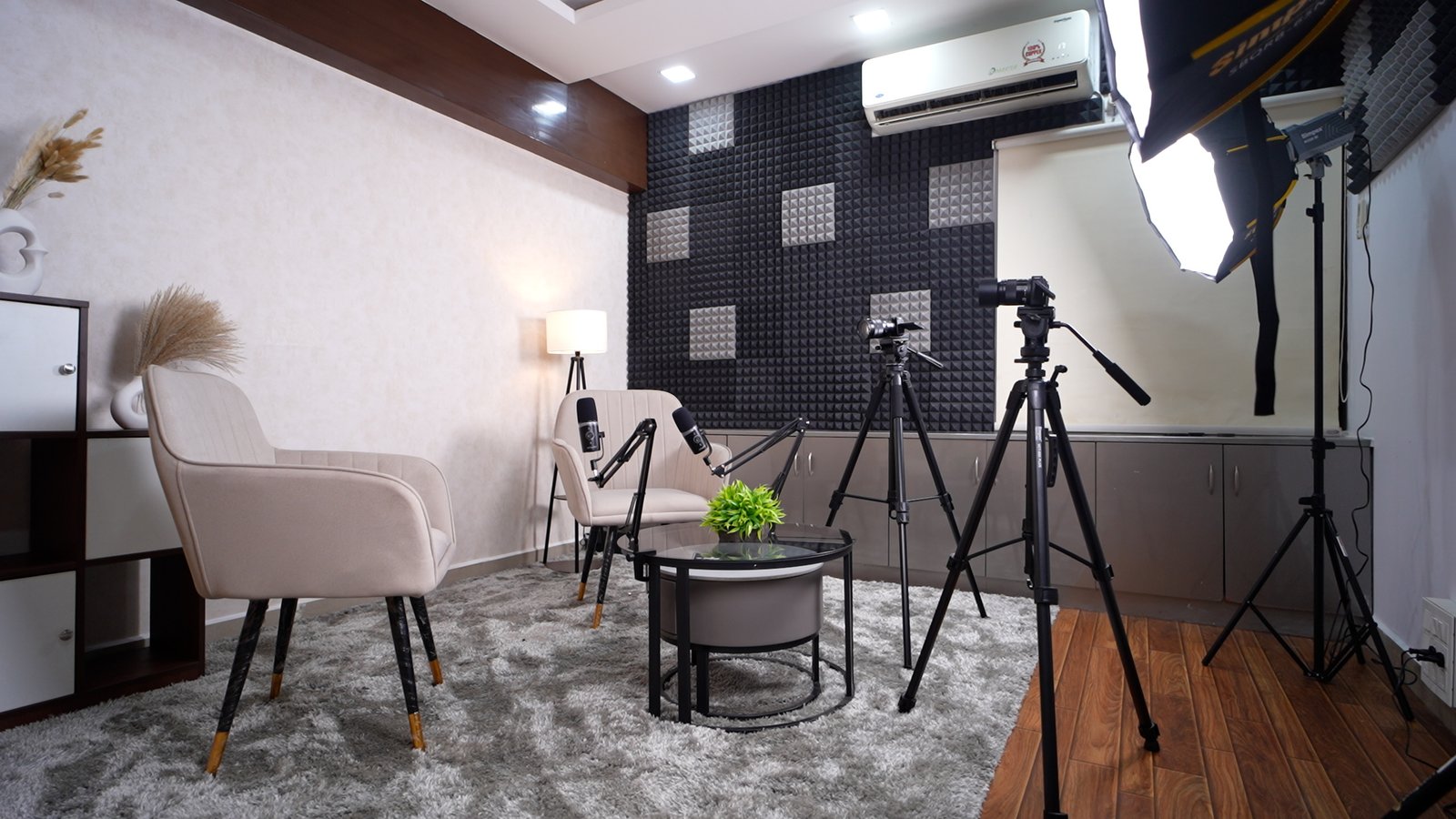
Nexstudio pairs your podcast with an experienced production team for consistent, professional-sounding episodes.
Why Choose Nexstudio for Your Podcast
Anyone can rent a room with a few microphones. Few can call it a real podcast studio. What actually matters is the team behind the recording, not just the gear in front of it. That’s where Nexstudio stands apart.
Great audio isn’t about which microphone you use. It’s about knowing how to mic a nervous first-time guest so they sound confident. It’s catching a room-tone issue before it ruins a take. Above all, it’s making the right editorial call in the moment to keep an episode tight.
Our production team brings real experience to every session. For instance, we’ve run hundreds of recording sessions, so we know how to handle a smooth solo voiceover or a chaotic five-guest roundtable. Beyond that, we have an ear for pacing and story structure, not just clean audio — that’s the difference between a technically fine episode and one people actually finish. In addition, we know post-production inside and out, so mixing, leveling, and noise cleanup happen fast, not over a week of back-and-forth. Finally, we guide first-time podcasters through delivery, pacing, and structure, so your content improves with every episode, not just your sound quality.
Fewer retakes, faster turnaround. Our team catches problems in the moment. A hot mic, an echo-y corner, a rambling tangent — we spot these live instead of finding them in the edit and needing a re-record.
Consistency across episodes. Anyone can produce one great-sounding episode. However, our team delivers that same quality on episode 50 as episode 1, and that consistency is what builds a professional-sounding show over time.
Guidance, not just a room. You get more than equipment. Specifically, you get people who advise on format, guest prep, and structure, because they’ve seen what works, and what doesn’t, across many other shows.
Production built around your goals. Maybe you want polished brand storytelling. Alternatively, you might want SEO-friendly long-form interviews, or fast episodes built for social clips. Either way, our team records and structures for that outcome from the start, instead of producing generic audio you have to fix later.
You can buy equipment, but you can’t buy experience. When you choose Nexstudio, you get a production team that has already solved the problems that trip up most podcasts. As a result, your episodes sound professional, and your content strategy stays on track from day one.
Buying your own podcast gear sounds simple. Then you price it out. A camera, lighting, mics, and sound treatment add up fast. Often, this happens before you’ve even recorded one episode. That’s why renting a podcast studio makes more sense for most creators. This holds true until recording becomes a weekly habit, not just an occasional project.
This guide covers what to expect when renting a podcast studio, what a good rental should include, and why NEXSTUDIO has become a go-to option for creators and brands around Vijayawada.
Why Renting Beats Buying (At First)
Owning a studio only makes sense once you record often enough to justify the cost. For most beginners, that math doesn’t add up yet. So, renting lets you use pro-grade gear. You skip the cost, the upkeep, and the learning curve of owning it all yourself.
There’s also a quality gap worth noting. A rented studio is already tuned, lit, and tested. A home setup, by contrast, often takes months of trial and error to reach that level. In other words, renting saves more than money. It also saves you from publishing your first ten episodes while you’re still learning lighting and audio.
What a Good Podcast Studio Rental Should Include
Not every rental listing includes the same things, so it helps to know what to actually look for before booking.
Multi-camera coverage. A single static camera limits how dynamic your final edit can look. A proper rental includes at least two angles, ideally a wide shot plus close-ups on each speaker.
Real soundproofing. Since audio quality matters more than almost anything else in a podcast, the room itself should be treated for sound, not just quiet by coincidence.
Studio lighting. A three-point lighting setup gives your footage depth and keeps skin tones natural. Overhead office lighting rarely achieves the same result.
Flexible booking by the hour. Most creators don’t need a full-day rental. Look for a studio that lets you book by the hour, so you only pay for the time you actually use.
Everything set up and tested. The best rentals are ready the moment you walk in. You shouldn’t need to spend the first 30 minutes of your booking troubleshooting gear.
Inside NEXSTUDIO’s Rental Setup
NEXSTUDIO offers exactly this kind of ready-to-record rental. It sits in Tadepalli, near Amaravathi. The studio runs host, guest, and wide-angle cameras together. So, you get real multi-camera coverage from the moment you sit down. Three-point lighting keeps every session looking sharp. The room itself is treated for sound, so your audio stays clean without extra post-work.
Booking works by the hour. That means solo creators and small teams can rent exactly what they need, whether that’s one episode or a full afternoon of recordings. Add air conditioning, comfortable seating, and a few prop setups, and the space works just as well for brand shoots and interviews as it does for standard episodes.
What You Can Record During Your Rental
A rental at NEXSTUDIO isn’t limited to podcasts alone. Creators and brands also use it for interviews, YouTube videos, reels, founder talks, brand shoots, and educational content. As a result, one visit can often cover several content needs at once.
How Much Does It Cost to Rent a Podcast Studio?
Pricing depends on session length and shoot type. NEXSTUDIO books by the hour. So, you only pay for the time you need, not a full-day package. For current rates and open slots, reach out through the booking form or call 94416 67324.
How to Book Your Session
Booking takes just a few steps. First, use the booking form on the NEXSTUDIO website, or call 8500266819. Next, share your shoot type and session length. Then, confirm your date and guest count. Once that’s set, you walk in and start recording.
You can browse past sessions on the NEXSTUDIO work page. You can also read more studio tips on the NEXSTUDIO blog before your first booking. Comparing gear costs first? Sites like B&H Photo show what buying the same equipment would cost.
Frequently Asked Questions
Can I rent a podcast studio by the hour? Yes. NEXSTUDIO offers hourly bookings, so you only pay for the time your session actually needs, rather than a full-day minimum.
What’s included in a podcast studio rental at NEXSTUDIO? Multi-camera coverage, three-point studio lighting, soundproofing, broadcast-style microphones, and comfortable seating all come included in the booking.
Do I need to bring my own equipment? No. Everything is already set up and tested before your session, so you only need to bring your content plan and your guests.
Is the studio only available for podcasts? No. The same rental works well for interviews, YouTube videos, brand shoots, founder talks, and educational content.
How do I check current pricing and availability? Reach out through the booking form or call 94416 67324for current rates and open time slots.
The Takeaway
Renting a podcast studio gives you pro gear and a tested setup. You skip the upfront cost of buying it all yourself. At NEXSTUDIO in Vijayawada, that means walking into a room that’s already lit, mic’d, and camera-ready. So, you can focus on the conversation, not the equipment.
Need a professional interview studio? NEXSTUDIO offers multi-camera setups, studio lighting, and clean audio for every interview.
Interview Studio in Vijayawada | NEXSTUDIO
Watch any interview that feels genuinely professional, and a few things almost always line up. The lighting flatters both people on screen. The camera angles cut smoothly between speakers. The audio stays clear even when someone leans back in their chair. None of that happens by accident. It comes from recording in a proper interview studio, not a random office corner with a borrowed camera.
This guide covers what actually makes an interview studio worth using, and why creators, brands, and businesses across Vijayawada choose NEXSTUDIO when the interview needs to look and sound its best.
Why the Studio Matters More Than People Expect
An interview lives or dies on how natural it feels. Awkward lighting, a shaky single camera, or muffled audio pulls attention away from the conversation itself. So, the room you record in isn’t just a backdrop. It shapes how much your audience actually trusts and engages with what’s being said.
That’s exactly why a dedicated interview studio outperforms a makeshift setup, even when the questions and answers are identical. Good production quality signals credibility before a single word is spoken.
Not every space that offers two chairs and a camera qualifies as a real interview studio. A few things separate the good ones from the rest.
Multiple camera angles. A single static camera makes even a great conversation feel flat. A proper setup uses at least two angles, host and guest, so editors can cut between speakers and keep the energy moving.
Studio lighting, not overhead bulbs. Harsh ceiling lights create shadows and uneven skin tones. A three-point lighting setup, instead, gives both people on camera a natural, well-lit look throughout the entire conversation.
Clean, isolated audio. Since interviews rely entirely on clear dialogue, a soundproofed room with proper microphones matters more here than in almost any other format. Background noise or echo distracts far more in a two-person conversation than in music or ambient content.
A comfortable, neutral setup. Long interviews need comfortable seating and a calm environment. A stressed or physically uncomfortable guest rarely gives their best answers.
Inside NEXSTUDIO’s Interview Studio
NEXSTUDIO was built around one clear idea: every interview should feel effortless to record and polished to watch. The studio, located in Tadepalli near Amaravathi, runs host, guest, and wide-angle cameras together, so editors get real coverage instead of one flat shot to work with. Three-point lighting keeps both people looking sharp throughout, even during longer sessions.
Audio gets the same attention. Each speaker uses a proper boom-mounted microphone, and the room itself is treated for sound, so playback never sounds hollow or distant. Add air conditioning, comfortable seating, and a few flexible prop setups, and even a 90-minute conversation stays comfortable for everyone involved.
Who Uses an Interview Studio Like This
Interview studios aren’t just for journalists. Founders use them for leadership conversations and thought pieces. Brands use them for customer stories and testimonials. YouTubers and podcasters use them for guest episodes. Recruiters and HR teams even use them for polished candidate or employee spotlight content. In other words, if the format involves two or more people in conversation on camera, a proper interview studio makes the result noticeably stronger.
DIY Interview Setup vs. a Dedicated Studio
Recording an interview at home or in an office is possible, but it usually means solving lighting, camera angles, and audio all on your own, often for the very first time under time pressure. A dedicated studio removes that entirely. The lighting is already balanced, the cameras are already positioned, and the microphones are already tested. As a result, you spend your prep time on the actual questions, not on troubleshooting gear.
How to Book an Interview Session at NEXSTUDIO
Booking is straightforward. First, use the booking form on the NEXSTUDIO website, or call 8500266819 directly. Next, share your format: a one-on-one interview, a panel conversation, or a guest episode. Then confirm your date and the number of people involved. Once that’s set, you simply walk in, sit down, and start talking.
You can see real examples of past interviews and shoots on the NEXSTUDIO work page, and pick up more creator tips on the NEXSTUDIO blog before your session. For general interview technique tips beyond production, resources like the Podcast Movement blog also cover useful ground.
Frequently Asked Questions
What makes a good interview studio? A good interview studio combines multi-camera coverage, three-point lighting, soundproofing, and comfortable seating, so both people on camera look and sound their best.
Is NEXSTUDIO only for podcasts? No. NEXSTUDIO regularly hosts interviews, panel discussions, brand testimonials, YouTube guest episodes, and founder conversations, alongside standard podcasts.
Do I need to bring my own camera or lighting equipment? Not at all. NEXSTUDIO provides cameras, lighting, microphones, and props, so you only need to bring your questions and your guest.
How many people can the studio accommodate for an interview? The setup comfortably handles one-on-one interviews as well as small panel conversations with multiple guests.
Where is NEXSTUDIO located? The studio sits in Tadepalli, near Amaravathi, making it a short, convenient trip from Vijayawada and the surrounding area.
The Takeaway
A great interview isn’t only about the questions you ask. It’s also about the room you ask them in. At NEXSTUDIO, that room comes ready with multi-camera coverage, proper lighting, and clean audio, so your conversation gets the production quality it actually deserves.
New to podcast editing? Here’s a simple, step-by-step guide to cutting, mixing, and polishing your episodes like a pro.
Podcast Editing 101: A Simple Guide for Beginners
Every great podcast episode goes through one hidden step before it reaches your audience: editing. Listeners never see the messy first cut, the awkward pause, the cough mid-sentence, or the twenty extra seconds of silence at the start. They only hear the polished version. That gap between raw recording and finished episode is exactly what podcast editing covers, and once you understand the basics, it stops feeling like a mystery.
This guide walks through what podcast editing actually involves, the tools people use, and a simple workflow you can follow even on your very first episode.
What Podcast Editing Actually Means
At its core, podcast editing turns a raw recording into something people enjoy listening to. That includes a few key jobs. First, you cut out mistakes, long pauses, and filler words like “um” and “so.” Next, you balance the volume so every speaker sounds even, instead of one voice being louder than another. Then, you clean up background noise, add your intro, outro, and any music, and finally export the file in a format ready for your hosting platform.
None of this needs to feel complicated. Most editors follow the same basic steps, whether they’re working on episode one or episode one hundred.
Start with a rough listen. Before touching anything, play through your raw file once. Note the timestamps of any big mistakes, long silences, or moments you want to cut. This saves time later, since you won’t be hunting for problems while also trying to edit.
Cut the obvious issues first. Remove long pauses, repeated sentences, and any sections that clearly don’t work. At this stage, focus on structure, not perfection. You can always fine-tune later.
Clean up the audio. Reduce background hum or hiss, and apply a noise reduction filter if your recording space wasn’t fully quiet. This step matters more than people expect, since noisy audio is one of the fastest ways to lose a listener.
Balance your levels. Every speaker should sound roughly the same volume. If one guest spoke quietly and another spoke loudly, adjust each track so listeners aren’t constantly reaching for the volume knob.
Add your intro, outro, and music. These elements give your show a consistent identity. Keep them short and punchy, since most listeners want to reach the actual content quickly.
Export and double-check. Export your file, then listen to the final version start to finish. Small errors often hide until you hear the episode as a whole, not in fragments.
The Best Podcast Editing Software to Start With
You don’t need expensive software to edit well. Audacity is free, beginner-friendly, and handles most basic editing needs, from cutting clips to reducing noise. Descript takes a different approach, letting you edit audio by editing a text transcript, which many beginners find far more intuitive than a traditional waveform view. For more advanced control, Adobe Audition and Reaper offer deeper mixing and mastering tools, though they come with a steeper learning curve.
If you’re just starting out, pick one tool and stick with it for your first few episodes. Switching software too early often slows you down more than it helps.
How Long Does Podcast Editing Actually Take?
For a 30-to-45-minute episode, most beginners spend around two to three hours editing. That time drops significantly with practice, and it drops even faster if your raw recording is already clean. This is where your recording setup matters just as much as your editing skill. A session recorded in a properly soundproofed room, like the ones at NEXSTUDIO, starts with far less background noise and far fewer audio issues to fix. As a result, editing time often shrinks by half, simply because there’s less to clean up in the first place.
DIY Editing vs. Outsourcing
Editing your own show gives you full creative control, and it’s a skill worth learning early on. However, as your podcast grows, that time adds up fast, especially if you’re publishing weekly. Many creators eventually outsource editing to save hours each week, freeing up time for content planning, guest outreach, and promotion instead.
There’s no single right answer here. If you enjoy the editing process and have the time, keep doing it yourself. If editing feels like it’s eating into everything else, outsourcing a few hours a week is often worth the cost.
Common Podcast Editing Mistakes to Avoid
New editors often make a few predictable mistakes. Over-editing is one of the biggest: cutting every single pause or filler word can make a conversation sound unnatural and robotic. A few natural pauses actually help a conversation breathe. Another common issue is inconsistent volume between episodes, which makes a show feel unpolished even if each individual episode sounds fine on its own. Finally, many beginners skip a final full listen-through, which means small errors slip through simply because nobody caught them before publishing.
Frequently Asked Questions
Do I need expensive software to edit a podcast? No. Free tools like Audacity handle most beginner editing needs well. Paid tools add convenience and extra features, but they aren’t required to produce a great episode.
How long should podcast editing take? Most beginners spend two to three hours editing a 30-to-45-minute episode. That time shortens with practice and with cleaner raw recordings.
Should I edit my own podcast or hire someone? It depends on your time and goals. DIY editing works well when you’re starting out. Outsourcing makes sense once editing starts taking time away from growing your show.
Does a better recording setup really reduce editing time? Yes. A soundproofed room with proper microphones, like the setup at NEXSTUDIO, produces cleaner raw audio. That means less noise reduction and fewer fixes during editing.
What’s the biggest mistake beginners make when editing? Over-editing. Cutting every pause or filler word often makes a conversation sound stiff instead of natural.
The Takeaway
Podcast editing isn’t about chasing perfection. It’s about removing what distracts listeners and keeping what makes your show worth hearing. Start with a simple workflow, pick one tool, and improve with each episode. And if you’d rather start with cleaner audio from the very first recording, you can book a session at NEXSTUDIO and spend less time editing, and more time creating.
Searching for the best podcast studio in Tadepalli? NEXSTUDIO offers a soundproof, multi-cam room built for creators.
Best Podcast Studio in Tadepalli | NEXSTUDIO
A few years ago, most people knew Tadepalli for one thing: its closeness to Amaravathi. Today, it means more. Founders, coaches, and creators now record real content here, instead of driving into Vijayawada or further. If you’ve searched for the best podcast studio in Tadepalli, that shift explains why NEXSTUDIO exists.
This guide covers what makes a studio “the best” in a growing area like Tadepalli, and why creators keep choosing NEXSTUDIO for episodes that look and sound truly professional.
Why “Best” Actually Matters Here
Anyone can rent a quiet room and call it a podcast studio. So, when people search for the best one in Tadepalli, they ask something sharper: which studio won’t waste my time, my budget, or my episode? That question matters. A bad session costs more than an afternoon. It costs you content you can’t fully fix later in editing. Therefore, “best” should mean things you can actually check: real soundproofing, proper camera coverage, good lighting, and a room built for long sessions, not a converted office with one lamp.
What Makes NEXSTUDIO the Best Choice in Tadepalli
NEXSTUDIO set one clear goal from day one: make every recording feel premium. That goal holds true for a solo podcast, a guest interview, or a full brand shoot. Inside the room, that shows up in a few clear ways. The team treated the recording room for sound, so unlike many home setups, playback here never sounds hollow or boxy. The studio also runs host, guest, and wide-angle cameras together, instead of one flat angle, so every episode looks edited from the very first cut.
Lighting is where most home setups fall short. NEXSTUDIO uses a three-point lighting setup, and that’s exactly why footage here looks sharper and more cinematic than a typical webcam clip. Audio gets the same care. Each speaker uses a proper boom mic, not one shared mic across the table, since good audio is what actually keeps listeners subscribed. Add air conditioning, comfortable seats, and a few prop setups, and a 90-minute chat never feels like a chore by the halfway point.
What You Can Record at NEXSTUDIO, Tadepalli
The studio doesn’t limit you to podcasts alone. Creators and brands also use it for interviews, YouTube videos, reels, founder talks, brand shoots, and short courses. In other words, one booking here can replace three or four separate shoots elsewhere.
Tadepalli vs. Traveling Elsewhere to Record
Before this studio existed nearby, creators in Tadepalli or Amaravathi often drove into Vijayawada, or even Hyderabad, just to find a proper camera setup. That meant losing a full day to travel, on top of the studio cost itself.
Recording locally changes that math. A session that once ate up a full day now takes a few hours. Instead of planning weeks ahead, you can book a slot this week and record it. And since the room is already lit, mic’d, and camera-ready, you spend your time recording, not setting up.
How to Book a Session at NEXSTUDIO
Booking stays simple. First, use the booking form on the NEXSTUDIO website, or call 8500266819 directly. Next, share your shoot type: podcast, interview, brand shoot, or YouTube video. Then confirm your date and guest count. Once that’s set, you just walk in and record.
What is the best podcast studio in Tadepalli? NEXSTUDIO sits in Tadepalli, near Amaravathi, with multi-camera recording, soundproofing, and studio lighting built for creators and brands.
Is NEXSTUDIO only for podcasts? No. Creators also book it for interviews, YouTube videos, reels, brand shoots, founder talks, and short courses.
Do I need to bring my own equipment? Not at all. NEXSTUDIO supplies cameras, lighting, mics, and props. You just bring your content plan and your guests.
How far is NEXSTUDIO from Vijayawada or Amaravathi? The studio sits right in Tadepalli, so it’s a short, easy trip from both places, without the cost of a longer drive.
How do I check pricing or availability? Reach out through the booking form or call 8500266819 for current rates and open slots.
The Takeaway
Calling a studio “the best” only means something if it changes your result. At NEXSTUDIO in Tadepalli, that result shows up in every frame: sharper visuals, cleaner audio, and an episode that finally looks like the show you pictured.
Want a podcast camera setup that looks stunning on video? Here are 7 simple secrets on cameras, angles, and lighting podcast video lighting setup.
Podcast Camera Setup: The Guide Nobody Explains Simply Enough
Here’s a scene you’ve probably lived through. You hit record on your first video podcast, feeling like a real host. Then, later, you watch it back. Something feels off. The angle is strange. Your guest looks washed out. Overall, it feels like a Zoom call, not a show.
That gap, between “recording on a webcam” and “looking like a real podcast,” almost always comes down to one thing: your podcast camera setup. The good news? You don’t need a Hollywood budget to fix it. You just need to understand a few basics that most guides skip over.
1. Understand Why Your Setup Matters So Much
Audio is technically what podcasts are built on. Yet, if you publish on YouTube or Instagram, video is what earns the click first. Viewers decide within seconds whether a video feels “produced” or “thrown together.” As a result, your camera setup is usually the biggest tell. So, before buying anything, first figure out how many cameras you need, where they should go, and what each one should capture.
2. Choose the Right Number of Cameras
Here’s the honest answer: it depends on your format, not your budget. One camera works fine for a solo host talking straight to the audience. Just point it on, keep it steady, and you’re done.
Two cameras, meanwhile, are the sweet spot for most interviews. One camera holds a wide shot of the room. The other frames a close-up on whoever’s talking. Together, this combination alone makes an episode feel edited, even without fancy transitions.
Three or more cameras suit shows that want cinematic variety. Think host close-up, guest close-up, and a wide shot, cut together to keep viewers engaged. In fact, this is the setup most professional studios, including NEXSTUDIO’s recording room, are built around. That said, if you’re just starting out, don’t overbuild. A clean two-camera setup will always outperform a messy three-camera one.
3. Get Your Camera Placement Right
Placement, more than camera quality, is what separates amateur footage from professional footage. A few rules consistently work. First, stay at eye level, always. A camera below eye level makes people look interrogated. Above eye level, they look small. So, straight-on, at eye height, is the safest choice.
Next, frame close-ups slightly off-center. A dead-center shot can feel stiff. Instead, framing a guest slightly to one side, with a little headroom, looks far more natural.
Also, give your wide shot some distance. It should capture the whole table, ideally with visual interest in the background, like a lit shelf or textured wall. Finally, match your eyeline to your screen. If you reference notes on a laptop, keep the camera close to the screen. Otherwise, you’ll look away mid-sentence.
4. Pick Gear That’s Actually Worth Buying
You don’t need cinema cameras to look professional. In fact, most working studios rely on a simple mix. Mirrorless cameras, like a Sony ZV or Canon M-series, give sharp images and strong low-light performance. This matters more than people expect once studio lights come into play.
PTZ, or pan-tilt-zoom, cameras are what many multi-camera studios actually use for wide and mid shots. They can be repositioned remotely, so nobody touches a tripod mid-recording. Webcams, meanwhile, are fine as a backup or a budget start. Just avoid relying on one alone if you’re publishing to YouTube long-term.
Whatever you choose, pair it with decent lighting first. A mid-range camera with great lighting will always beat an expensive camera in a dim room.
5. Don’t Skip the Lighting
This might be the most underrated secret on this list. A three-point lighting setup, key light, fill light, and a soft backlight, gives faces real depth. Without it, footage often gets that flat, overexposed “ring light” look. That’s also why studio recordings, like the ones shot at NEXSTUDIO, tend to look sharper than home setups, even with similar cameras.
6. Match Your Audio to Your New Visuals
Once your camera setup looks sharp, don’t let audio drag it down. A shared boom mic setup, placed close to each speaker, keeps your sound as polished as your picture. Otherwise, mismatched audio quietly undoes all the visual work you just put in.
7. Copy This Simple Starter Setup
If you’re building this yourself, here’s a setup that works well for most interview podcasts. First, add one wide camera, centered, on the whole table. Next, add one close-up on the host, slightly off-center, at eye level. Then, mirror that same framing for the guest. After that, add a key light per speaker, plus one soft backlight for depth. Finally, wire up a shared boom mic setup so your audio matches your new visuals.
Once this is in place, the “why does my podcast look amateur” problem quietly disappears.
Or, Skip the Setup Entirely
Building all this yourself takes time, plus a fair bit of trial and error. That’s exactly why studios like NEXSTUDIO exist. The Vijayawada studio already has multi-camera angles, three-point lighting, and broadcast microphones ready to go, so you can walk in and record the same day. You can see the full setup on the studio page, browse past shoots on the work page, or read more creator guides on the NEXSTUDIO blog.
Frequently Asked Questions
How many cameras do I need for a podcast? Two cameras are enough for most interviews: one wide shot, one close-up. Three or more add cinematic variety for longer shows.
What’s the best camera for a podcast setup? A mirrorless camera gives the best image quality for the price. That said, a well-lit webcam can still look great with proper framing.
Do I need professional lighting for a podcast? Yes, ideally. A simple three-point setup, key, fill, and backlight, makes a bigger difference than upgrading your camera alone.
Is it cheaper to build my own setup or use a studio? For occasional recording, a studio like NEXSTUDIO is often cheaper once you add up cameras, lighting, mics, and soundproofing. For daily recording, building your own pays off over time.
The Takeaway
A great podcast camera setup isn’t about owning expensive gear. Instead, it’s about a few simple rules: camera count, placement, and lighting, applied consistently. Once you get that right, your podcast stops looking like a video call. It starts looking like a show people actually want to watch.
Ready to skip the trial and error? Book a session at NEXSTUDIO and record with a camera setup that’s already dialed in.
Searching for podcast recording near me in Vijayawada? You’re not alone. More founders, coaches, and creators in the city are launching shows every month, and as a result, more people want a proper local studio instead of a spare room. Until recently, however, most creators had to travel to Hyderabad or Chennai just to find one.
That has changed. NEXSTUDIO is a dedicated podcast studio in Vijayawada, built in Tadepalle, Amaravathi. It offers everything a real recording session needs: soundproofing, multiple cameras, and studio lighting. So, in this guide, we’ll walk through what to look for in a podcast studio near you, and then explain why creators across Vijayawada are booking NEXSTUDIO for their episodes. You can also browse the full studio overview and past projects before you book.
Why More People Are Searching for This
Vijayawada’s creator scene has grown quickly. As a result, more people now want to record locally instead of losing a full day to travel. In addition, a proper studio changes how a show looks and sounds, which in turn helps a podcast build trust faster with new listeners. For a closer look at what that setup includes, see the studio features page.
What to Look for in a Podcast Studio Near You
Not every space that offers a room and a mic can call itself a true podcast studio. So, before you book a podcast recording studio near me, check for these five things first.
First, look for real soundproofing. A room can feel quiet, yet still sound hollow on playback. Therefore, look for a space with acoustic treatment built for voice, not just four bare walls.
Next, check for a multi-camera setup. For video podcasts, one static camera limits your edit later. That’s why NEXSTUDIO offers host, guest, and wide-angle cameras, so your episode looks like a produced show rather than a webcam call.
Third, ask about the microphones. Audio quality, after all, is what keeps people listening. A good studio uses boom-mounted mics for each speaker, instead of one shared desk mic.
Fourth, consider the lighting. A three-point lighting setup adds depth and keeps skin tones natural. Without it, footage often looks flat or washed out.
Finally, think about comfort. Podcasts often run past an hour, so air conditioning and comfortable seating matter more than people expect once the mics go live.
Inside NEXSTUDIO: A Podcast Studio Built for Vijayawada Creators
NEXSTUDIO was designed around one simple idea: every recording should feel premium, whether it’s a solo podcast, a guest interview, or a full brand shoot. Before you book, take a look at the studio gallery to see the room for yourself.
The studio includes the following:
Multi-camera angles for host, guest, and wide social-ready shots
A fully soundproof recording room with acoustic treatment
Broadcast-style microphones with proper boom placement
Multiple prop setups to change the visual tone of each episode
Air-conditioned comfort for long recording days
You can record several types of content here, including podcasts, interviews, brand shoots, reels, YouTube videos, founder talks, and educational content. In other words, one single booking covers most of what a modern creator or brand actually needs. For proof, you can see real examples on the NEXSTUDIO work page, or read more studio tips on the NEXSTUDIO blog.
Recording Locally vs. Traveling to Another City
Before a studio like this existed, creators in Vijayawada often traveled to Hyderabad or Chennai for a single session. That meant a full day lost to travel, plus extra cost for a hotel stay and transport on top of the studio fee itself.
Recording locally changes that math completely. A session that once took a full day now takes only a few hours. Instead of planning weeks ahead, you can book a slot, walk in, and record that same week. And because the room is already lit and mic’d in advance, you spend your time actually recording, rather than setting up.
How to Book a Session
Booking, thankfully, is simple. First, use the booking form on the NEXSTUDIO website, or call 8500266819 directly. Next, share your shoot type, whether that’s a podcast, interview, brand shoot, or YouTube video. Then, confirm your date and number of guests. Once that’s done, you simply show up and record.
NeXStudio
Is there a professional podcast recording studio near me in Vijayawada? Yes. NEXSTUDIO is a dedicated podcast studio in Tadepalle, Amaravathi, Vijayawada. It offers multi-camera recording, soundproofing, and professional microphones, so most creators don’t need to bring anything extra.
What can I record at a podcast studio in Vijayawada? You can record podcasts, interviews, YouTube videos, reels, brand shoots, founder talks, and educational content, all in one room.
How much does it cost to record a podcast near me in Vijayawada? Pricing depends on session length and shoot type. For current rates, reach out through the booking form or call 8500266819.
Do I need to bring my own equipment? No. NEXSTUDIO provides cameras, lighting, microphones, and props, so you only need to bring your content plan and your guests.
Can brands book the studio, not just podcasters? Yes. Many bookings, in fact, are for brand shoots, founder talks, and product content, in addition to regular podcasts.
Ready to Record?
If you’ve been searching for podcast recording near me in Vijayawada, NEXSTUDIO is built to be the answer. The room is soundproof, camera-ready, and available whenever your next episode is. So, book your session or call 8500266819 to check availability. Meanwhile, you can browse more studio tips on the NEXSTUDIO blog.
Record high-quality podcasts at the best podcast studio in Vijayawada. Professional audio, video, editing, and production for creators and businesses.
Best Podcast Studio in Vijayawada:
Are you looking for the best podcast studio in Vijayawada? Brand Brood provides a professional space where creators, entrepreneurs, businesses, educators, and influencers can record high-quality podcasts with ease. Whether you’re starting your first podcast or growing an established show, our experienced team helps you produce content that stands out.
We combine premium equipment, experienced professionals, and creative support to ensure every episode sounds and looks exceptional. As a result, you can focus on your conversation while we handle the technical work.
Why Choose Brand Brood?
Choosing the right podcast studio makes a huge difference. First, you need excellent audio quality. Next, you need professional video production. Finally, you need a team that understands content creation.
At Brand Brood, we provide all three under one roof.
Our studio includes:
Professional microphones
4K cameras
Studio lighting
Acoustic sound treatment
Multi-camera recording
Live monitoring
Comfortable seating
Modern podcast backgrounds
High-speed file delivery
Moreover, our team guides you throughout the recording session, making the entire process smooth and stress-free.
Professional Podcast Recording Services
Every podcast has different goals. Therefore, we offer flexible recording solutions for individuals, brands, and organizations.
Our services include:
Audio Podcast Recording
Video Podcast Recording
Business Podcasts
Corporate Podcasts
Interview Podcasts
Educational Podcasts
Multi-Person Podcast Setup
Podcast Editing
Audio Enhancement
Video Editing
Subtitle Creation
Instagram Reels
YouTube Shorts
Thumbnail Design
In addition, we optimize your content for YouTube, Spotify, Apple Podcasts, and other major platforms.
High-Quality Video Podcast Studio
Video podcasts are becoming more popular every day. Because of this, businesses are using podcasts to build trust and reach new audiences.
Our professional studio features:
4K video recording
Multiple camera angles
Professional lighting
Cinematic backgrounds
Crystal-clear audio
Real-time monitoring
As a result, every episode looks polished and ready to publish.
Podcast Editing and Post-Production
Recording is only the beginning. After your session, our editors improve every episode to ensure professional quality.
Our editing services include:
Noise reduction
Audio mixing
Color correction
Intro and outro creation
Logo animation
Motion graphics
Caption generation
Social media clips
Background music
File optimization
Furthermore, we deliver files in formats suitable for YouTube, Spotify, Apple Podcasts, Instagram, Facebook, and LinkedIn.
Who Can Record at Our Studio?
Our podcast studio welcomes creators from every industry.
It is perfect for:
Entrepreneurs
Business owners
Coaches
Psychologists
Doctors
Lawyers
Educators
Trainers
Influencers
YouTubers
Startup founders
Marketing agencies
Personal brands
Authors
Public speakers
Similarly, companies can record leadership interviews, employee stories, product launches, and client success stories.
Benefits of Choosing the Best Podcast Studio in Vijayawada
Working with a professional podcast studio offers many advantages.
First, you save time.
Next, you receive professional-quality audio and video.
Moreover, your content builds greater trust with viewers.
In addition, consistent quality improves your brand image.
Finally, edited podcast clips help you reach more people across social media platforms.
Because everything is handled by professionals, you can focus entirely on creating valuable conversations.
Our Recording Process
We make podcast recording simple.
Step 1: Book your preferred date.
Step 2: Discuss your podcast goals with our team.
Step 3: Record your episode using professional equipment.
Step 4: Review your recording before leaving.
Step 5: Our editors complete post-production.
Step 6: Receive ready-to-publish podcast files.
Therefore, you enjoy a smooth experience from start to finish.
If you are searching for the best podcast studio in Vijayawada, Brand Brood is ready to help. Whether you are recording your first episode or producing a complete podcast series, our experienced team ensures every recording meets professional standards.
Book your session today and create podcasts that educate, inspire, and grow your audience.